
A free multimedia player
GOM Player is a free alternative desktop multimedia tool. The program offers support for a vast range of file types, customizable skins, a library of subtitles, and 360 degree VR video.
Top Recommended Alternative

Versatile and packed with features
This player was built with a mind on the future. It has many neat features and a focus on global accessibility. There is a slight learning curve when you first start with this multimedia tool, and users that download it should beware of third-party add-ons during the installation.
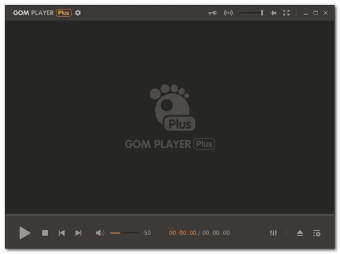
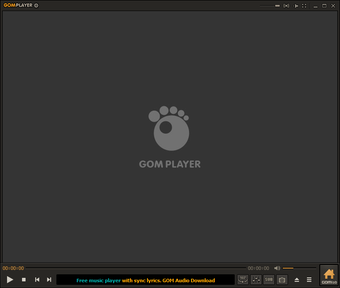
A straightforward interface
GOM Player has a clean interface. While it is minimalist in design, it isn’t very intuitive. There are very few on-screen buttons aside from the necessary playback control. If you want to change the sound or any other settings, you’ll have to navigate to the player’s menu. It is hard to find tools like graphic and sound equalizer, which is frustrating for new users. Once you get used to it, it becomes easier to navigate.
If you don’t like the default appearance of this player, you can change the way it looks by applying a new skin. All of the themes are purely cosmetic, and they don’t alter much regarding user experience.
Supported file formats
GOM Player for Windows supports a wide range of file types including common video formats such as the common AVI, MOV and MP4. You can also play less used file-types such as Matroska, Ogg, OGM, and more. If the player cannot find the codec, it will automatically search for it online. Once it locates the relevant one, you’ll be directed to a site to download it.
Multilingual design
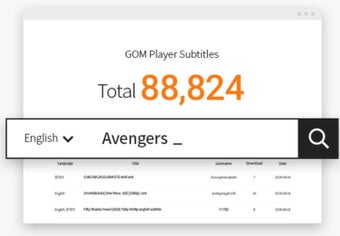
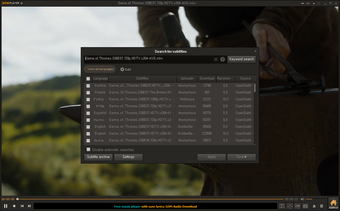
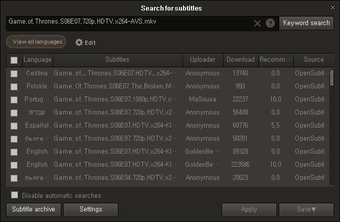
GOM is most popular in South Korea, but it is making its way to the native English-speaking market. It is designed for a global audience and supports a host of subtitle formats. The software will automatically search and sync subtitles for the movie that is being played. You can also customize the appearance of subtitles to maximize or minimize their visibility.
Customizable viewing
Once you have this player installed, you can choose which file types are automatically opened and through which platform you want to view them on default, this does not have to be GOM.
This software also takes an interesting approach to multitasking. If you are enjoying a video and you want to take a still image from what you are watching, the screen capture feature is simple to use. You can work on your computer while viewing multimedia content at the same time, you can adjust the screen transparency so that you can see the video and your screen simultaneously.
This feature is especially handy if you’re watching a how-to video. Instead of having to work in split windows, you can view in full screen while following the steps of the tutorial. Users can also download the mobile version for and control their PC GOM player through their phone or tablet.
VR Playback
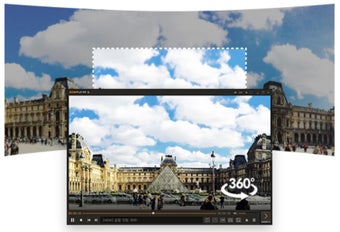
One feature that makes GOM media player stand out amongst other players is its Virtual Reality technology. You can play 360 video with this player. It supports preview with views from the back front, right, and left, that you control using your arrow keys. There are search and play functions so you can find VR content from YouTube.
A sneaky installer
Beware when you are downloading this software, as it might try to sneak in some unwanted programs and make some changes. It is easy to miss unless you reach through the GOM Player installer with a critical eye. Make sure you read what is available, and select the Custom Installation. If you don’t, you might find yourself with some bothersome extras.
Alternatives
While GOM is currently growing in popularity, alternatives like VLC media player offer all of the same features and everything else that you could need, aside from 360 VR.
Easy to use and customize
This multimedia tool is good for users who want access to VR content, or who want access to a vast library of subtitles. The program is functional, but it takes some getting used to. Anyone who prefers a standard multimedia player would be better off downloading an alternative like VLC. For those who are going to download the program, make sure you pay close attention to the prompts of the installer.
For the most recent version of GOM Player, developers have added the New Preference Mode (beta), fixed an error with HEVC contents as well as incorrect DVD chapter markings and an action handling the margins for messages.